

Since 7 October 2026, the NCC device checker has given every buyer in Nigeria a quick way to find out whether a phone has been approved for use here, and all it takes is dialling *315# or visiting the Nigerian Communications Commission’s official Device Checker page. It’s part of a tighter type approval framework the regulator is now enforcing on smartphones, feature phones, cellular tablets, modems, SIM-enabled laptops and point-of-sale terminals.
If you’re planning to buy a phone soon, especially from a seller you don’t know or at a price that looks too sweet, this is the check worth doing before any money leaves your account.
The phone already in your pocket is probably fine
According to the NCC, devices that were already connected to Nigerian networks before the framework took effect on 7 October were verified automatically, which means most existing users don’t need to register anything. The commission has also said it isn’t disconnecting phones that are already in use. Speaking at a media briefing in Abuja, Engr. Edoyemi Ogoh, the NCC’s Director of Technical Standards and Network Integrity, said “We had already registered about 231 million devices across the country.”
The enforcement is aimed at devices entering the market from now on. Approval is the job of manufacturers, importers and dealers, not ordinary buyers, and the NCC says it’s working with the Nigeria Customs Service, phone makers, importers and market associations on stock that’s already in shops and on new imports. The legal backing is Section 132(2) of the Nigerian Communications Act 2003, which requires regulatory approval before communications equipment is sold or used in the country.
How to check a phone before you pay for it
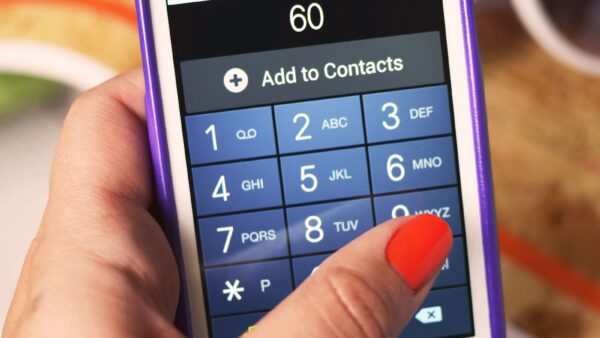
On the phone you’re using, dial *315# and follow the prompts. To check a different handset, such as the one a seller is holding out to you, you’ll usually need its 15-digit IMEI number. Dial *#06# on that phone and the IMEI will show on the screen. The NCC also notes that the IMEI may be printed on the box or the manufacturer’s label, and a dual-SIM phone has more than one, so it helps to note them all.
You can also run the check on the web at ncc.gov.ng/devicechecker if a vendor sends you the IMEI before delivery. Do it before you transfer anything, and if the seller is an Instagram vendor, it’s worth checking whether their business is registered with CAC too.
A failed check doesn’t automatically mean the phone is fake
Don’t jump to conclusions if the result isn’t what you hoped for. The NCC’s own guidance says “An unsuccessful verification does not necessarily mean the device is counterfeit.” A mistyped IMEI is an easy mistake to make, so enter it again carefully first, then ask the seller to explain the result or contact the commission for clarification.
The result still matters, though. The NCC’s guidance for businesses says devices with unresolved compliance issues shouldn’t be supplied or sold, and that devices which fail its requirements may face restrictions, including on their use on Nigerian mobile networks. If you’ve already bought a phone and it turns out to be unverified, the NCC’s advice is to go back to the seller for help or a replacement. If that goes nowhere, you can take the complaint to the commission’s toll-free line, 315.
Your messages and photos stay private, but your codes need protecting
If you’re wondering whether the checker can see what’s on your phone, the NCC says the system works with device identifiers such as the IMEI and can’t access messages, photos or other personal files.
Where you do need to be careful is with anyone who offers to “help” you through the process. The NCC has warned people to use only its official channels and never to share one-time verification codes with sellers, callers or anyone else. A stranger asking for a code you just received is the same trick behind the “I sent you a code by mistake” WhatsApp scam, so treat it the same way.
Make *315# part of every phone purchase
The NCC also says the framework helps to identify stolen devices once the right reporting and verification steps have been completed, which gives buyers one more reason to check a used phone before handing over cash. A brand-new handset from a big shop, a fairly used one from a friend of a friend and a cheap deal spotted on social media all deserve the same quick check of *315# and the IMEI before you pay, so you don’t end up with a phone that gives you trouble later.





Join the conversation